

AI - researcher & software engineer | writing about what I use myself
more AI insights →
Joined August 2015
- Tweets2.2K
- Following105
- Followers35.1K
- Likes4.9K



Pinned Tweet
REA is most dangerous thing on the internet right now...
It lets your AI agent reverse engineer any app, down to the binary
If you use it correctly, you can rebuild any feature you pay for, for FREE
In this article, I show you how:

Send this prompt to build a first harness for your agent
It sets up Plurai → clones your agent's world → sends users who push back → hands you line that fixes it
No staging, no new platform. All inside Claude Code
Paste it now. Thank me later:
🤝 Paid partnership


Big day for us at @pluraiAI ! Plurai Simulation is live and free for every AI engineer.
AI agents look great in demos. Until real users break them.
So we built a world where your agent can fail, learn, and get fixed before your users ever see it.
→ Digital twin: Your real agent, its tools, and environment recreated from your code
→ Simulated users & tasks: Realistic users, tasks, and workflows that push your agent into the edge cases that matter
→ Auto evals: Check what your agent actually did, not just what it said
→ Verified fixes: Every failure comes with the run that exposed it and a fix you can verify
→ Replays: Turn any production failure into a simulation and replay it against every new version of your agent
All inside the coding agent you already use: @claudeai code, @OpenAICodexCli , or @GitHubCopilot .
Start simulating for free: simulation.plurai.ai/connect
Anthropic's tip + Karpathy's skills = officially most POWERFUL and CHEAPEST cheat code for Claude Code
shift: Fable 5.2 brain, while: Sonnet 5.5 builds → Opus 5.5 checks → Haiku 5.5 swarms
Karpathy's skills keep all 4 models from burning usage
I made 1 prompt that setup everything:
first understand what burns your usage:
• AI agents "implement a bloated construction over 1000 lines when 100 would do" - Karpathy's words, His 4 rules ban it: think first, simplest code, touch only what's asked, prove it works
• Claude Code's built-in Explore agent starts without your CLAUDE.md. Your rules never reach it, and it runs on your main model
• Anthropic admits Sonnet "tends to under-call the advisor", especially on coding. You set up Fable and it just sits there
here's how to setup it:
1 → it works for any tasks:run claude update, Fable 5.2 needs Claude Code v2.1.321+
2 → paste the prompt below: Sonnet builds, Fable advices, Opus checks, Haiku searches. Set once, works in every project
3 → it puts Karpathy's 4 rules in your global CLAUDE.md and swaps Explore for a Haiku one that reads them, 20x cheaper per token than Sonnet
4 → then it pastes Anthropic's own tips and repos for Fable 5.2 + /advisor skill
5 → keep Sonnet on medium effort, Anthropic's docs: medium Sonnet + an advisor = high-effort Sonnet, at lewert cost
6 → never switch /model mid-task: the next turn re-reads everything uncached. Turning /advisor on or off keeps your cache
paste full prompt + both repos + Anthropic official tip below
Then read article on how to master Fable 5.2:


Karpathy's skills:
github.com/multica-ai/andrej…
Anthropic's repo:
github.com/anthropics/claude…
Anthropic's tip:
platform.claude.com/docs/en/…
Paste this prompt into Claude Code:
"Set up my Claude Code as a 4-model team with Karpathy's coding rules, at user level so it works in every project:
- Sonnet 5.5 = main session. It builds: writes code, runs tests.
- Fable 5.2 = advisor, the brain. It only advises, never writes code.
- Opus 5.5 = checker subagent. It tests finished work and tries to break it, never edits.
- Haiku 5.5 = search. It replaces the built-in Explore agent.
Before you change anything, find and read Anthropic's official docs: the Claude Code pages on the advisor, subagents, model configuration and memory (CLAUDE.md), and the Claude API page on the advisor tool. Also read the CLAUDE.md in the GitHub repo multica-ai/andrej-karpathy-skills. Use only the settings, fields and file formats the docs describe. If something below doesn't match them, follow the docs and tell me what you changed.
Steps:
1. Check my Claude Code version. Fable 5.2 needs v2.1.321 or later. If it's older, run claude update, or tell me to.
2. In ~/.claude/settings.json set the main model to sonnet and advisorModel to fable. Merge, never delete my settings. Leave the main model's effort at medium, Claude Code's default for Sonnet 5.5. Don't set one default model for all subagents: the rest should inherit Sonnet.
3. Append Karpathy's 4 rules (Think Before Coding, Simplicity First, Surgical Changes, Goal-Driven Execution) word for word to ~/.claude/CLAUDE.md under the heading "Karpathy rules". Keep everything already in the file. Skip this if they're already there.
4. Right under them add: "When a rule says ask, ask the advisor first. Ask me only about decisions that are mine: scope, product choices, anything destructive."
5. From the advisor tool page, copy the two blocks under "Suggested system prompt for coding tasks" (the timing guidance and how to treat the advice) word for word into ~/.claude/CLAUDE.md under the heading "Advisor". Anthropic wrote them for about two to three advisor calls per coding task. Don't use the Haiku variant. Right after them add: "A saved file counts as durable. Don't git commit unless I ask."
6. Create ~/.claude/agents/checker.md with model opus, effort medium and only Read, Grep, Glob and Bash tools, no Write or Edit. It runs the tests, reads the diff and tries edge cases. It reports each real problem with the file, the line or command, and what it saw.
7. Create ~/.claude/agents/Explore.md with name Explore, model haiku and read-only tools. Don't set omitClaudeMd, so it reads my CLAUDE.md. A user subagent named Explore replaces the built-in one, which starts without my CLAUDE.md and runs on my main model. It finds files, greps, reads docs and returns short structured results.
8. Add to ~/.claude/CLAUDE.md: "Send search and docs lookup to Explore. Before you call a multi-step task done, run the checker. For a small task that fits in this session, skip subagents and run the tests yourself."
9. Fable as advisor needs a one-time usage-credit consent on some plans. If mine needs it, stop and tell me: run /model fable once, accept, then switch back with /model sonnet.
If you can't open the Karpathy repo or the advisor tool page, stop and tell me instead of writing those parts from memory.
Back up every file before you edit it. Show me all changes as one diff and apply them only after my yes.
Done means: after a restart, Claude Code starts on Sonnet, /advisor shows fable, /agents lists checker (opus) and Explore (haiku), and ~/.claude/CLAUDE.md has Karpathy's 4 rules plus Anthropic's advisor blocks.
End with three headings: Changed, Needs me, How to check it works. Under the last one tell me: an "Advising" line appears when Fable is consulted, Ctrl+O shows its advice, /usage shows what it cost, and switching /model mid-task re-reads the whole chat uncached while turning /advisor on or off keeps the cache."

2
597
SpaceXSI engineer Lauren Tan (poteto):
"~97% of people's GrokBots are still burning usage on slop. My thousands agents shipped 3,000 PRs last month"
Tag your GrokBot below to copy her setup ↓
"I stopped prompting each bot a long time ago... My 1 GrokBot: managing thousands of agents, cutting their usage and lets code check itself for free"
This 15-min GrokBot workshop by poteto will save you months of burning usage and teach your bot how to work at 100%
It's actually best way to use agents in the world right now
Give it 15-min today or send to your GrokBot. Then read article below on how to build full GrokBot system right way:

F*ck YES... Anthropic just released most INSANE cheat code for Claude Code:
Fable 5.2 brain → while Sonnet 5.5 builds → Opus 5.5 checks → Haiku 5.5 swarms
1 min + /advisor command = up to 3.4x CHEAPER
here's how to setup it:
first understand how it works:
• This setup works for any tasks: Sonnet 5.5 builds, Opus 5.5 immediently check it, Haiku 5.5 swarm of agent search make research - at 80x cheaper per token than Fable
• Fable 5.2 never writes code, it wakes up only 3 times: before a plan locks, when an error repeats, before "done"
• you pay Fable prices only for decisions, the cheap models do all the rest
here's how to setup it:
1 → run Claude update, Fable 5.2 needs Claude Code v2.1.321+
2 → paste prompt below into Claude Code, it reads Anthropic's official advisor docs first
3 → it sets team at user level, so it works in every project: Sonnet main, Fable advisor, Haiku for subagents, a Opus checker
4 → it backs up your settings and shows every change as a diff before it applies it
5 → the part nobody tells you: there's one line that tells Sonnet 5.5 WHEN to call Fable. Without it, the advisor got called 0 times out of 198 in Anthropic's test
full prompt + Anthropic's official advisor docs below
Then read article to use Fable 5.2 at max out:
Antrhopic's cheat code:
code.claude.com/docs/en/advi…
full prompt:
"Set up my Claude Code as a 4-model team, at user level so it works in every project:
- Sonnet 5.5 = main session. It builds: writes code, runs tests.
- Fable 5.2 = advisor, the brain. It only advises, never writes code.
- Opus 5.5 = checker subagent. It tests finished work and tries to break it, never edits.
- Haiku 5.5 = search and research. It replaces the built-in Explore agent and is the default for other subagents.
Before you change anything, read Anthropic's official docs:
https: //code.claude.com/docs/en/advisor
https: //code.claude.com/docs/en/sub-agents
https: //code.claude.com/docs/en/model-config
Use only the settings, fields and file formats those pages describe. If something below doesn't match the docs, follow the docs and tell me what you changed.
Steps:
1. Check my Claude Code version. Fable 5.2 needs v2.1.321 or later. If it's older, run claude update, or tell me to.
2. In ~/.claude/settings.json: main model sonnet, advisorModel fable, env CLAUDE_CODE_SUBAGENT_MODEL haiku. Merge, never delete my settings. If my settings lower the main model's effort below its default, tell me: at lower effort the main model consults the advisor far less.
3. Create ~/.claude/agents/checker.md with model opus. It runs the tests, reads the diff and tries edge cases. It never edits code. It reports each real problem with the file, the line or command, and what it saw.
4. Create ~/.claude/agents/Explore.md with name Explore, model haiku and read-only tools (no Write, no Edit). A user subagent named Explore replaces the built-in one, which otherwise runs on my main model and ignores CLAUDE_CODE_SUBAGENT_MODEL. It finds files, greps, reads docs and returns short structured results.
5. Add to ~/.claude/CLAUDE.md:
"Consult the advisor before you commit to an approach, when the same error comes back twice, and before you say a task is done. Run the checker before you call any task done. Send search and docs lookup to Explore. If a subagent must write code, give it model sonnet, never haiku. For a small task that fits in this session, skip subagents and do it yourself."
6. Fable as advisor needs a one-time usage-credit consent on some plans. If mine needs it, stop and tell me: run /model fable once, accept, then switch back with /model sonnet.
Back up every file before you edit it. Show me all changes as one diff and apply them only after my yes.
Done means: after a restart, Claude Code starts on Sonnet, /advisor shows fable, and /agents lists checker (opus) and Explore (haiku).
End with three headings: Changed, Needs me, How to check it works. Under the last one tell me: an "Advising" line appears when Fable is consulted, Ctrl+O shows its advice, and /usage shows what it cost.
Anthropic's official advisor docs: https: //code.claude.com/docs/en/advisor"

I am begging you to paste this article into Claude Code as soon as possible...
Inside is Anthropic's new official tip for Claude Code:
Fable 5.2 brain, Opus 5.5 builds, Sonnet 5.5 checks, Haiku 5.5 swarm of agent
It will f*cking change how you use Claude forever:
Claude Fable 5.2 is the most insane AI model in history...
99% of people will never touch it or burn money on it: "Too expensive", "Not for me"
Use it right, and it becomes your second BRAIN, for a fraction of the price
In this article, I show you how:
Fable 5.2 is UNREAL as brain for teams of agent...
Send this prompt for Claude Code
Fable 5.2 CEO, Opus 5.5 audits, Sonnet 5.5 drafts, Haiku 5.5 swarms
Try with Kylon. Give your team an office:
🤝 Paid partnership


Agents on Kylon have now completed over 5 million transactions. That's about 50,000 hours of manual work.
Bring your team, Claude Code, and Codex into one shared workspace where agents can handle research, marketing, sales, and operations alongside your people.
With access to 3,000+ tools, from patent databases to Meta Ads, your agents can work together across your business.
Comment with your use case for your first month free.
Fable 5.2 is INSANE for running business...
but model isn't what makes you rich - whoever owns the system around it is
David Hsu just explained why that decides who wins whole industries:
🤝 Paid partnership


Anthropic, OpenAI and Google researchers spent $566,000 f*cking closed-source with reverse engineering - released 22-page PDF
they burned 5,000+ hours on it...
twist: anyone with AI can reverse engineer your product, unless you protect it right
5 steps to protect yours + what else they found:
alpha:
• old anti-hacker tricks don't slow AI at all, it reads your compiled app like open source
• real protection does: encrypted code + hidden keys dropped almost every AI to near zero. Claude fell from 5.33 to 0.32 out of 6, only one AI got through
• with safety off, the top AI cracked 99% of apps in 4 tries, nothing is uncrackable
• many other things in PDF below...
tokens spent:
labs ran their own models for free - here's what the same test would cost YOU at public prices:
- GPT 5.6 Cyber - $246.8k (773.6M tokens)
- GPT 5.6 Sol - $161.9k (506.9M tokens)
- GPT 6 Astra - $83.4k (215.7M tokens)
- Claude Opus 5.5 - $52.3k (512.2M tokens)
- Mythos 5.1 - $22k (362.9M tokens)
total: $566k for 2.37B tokens
so how to protect yourself:
1 → open Claude Code in your app's folder and say: "install TruffleHog, build my app and scan the code, git history and build with --results=verified"
- TruffleHog (29K) finds every live key hidden in your app
2 → every live key it finds: revoke it, keep the new one on your server. Infisical (30.4K) keeps keys out of your code.
In the paper, server-side keys were among the hardest protections for AI
3 → say: "install Cloudflare's security-audit skill with npx add cloudflare/security-audit-skill --skill security-audit -a claude-code, read its SKILL.md and run security audit"
- Cloudflare's skill (67.7K) finds the holes hackers look for once the've reversed your app
4 → protect the code: app, site or game - BLA (4.2K), Android/iOS - O-MVLL (1.2K), and strip symbols before shipping - weaker Als lost 50-71% without them.
site? the browser hides nothing - anything secret goes to your server (step 2)
5 → before every release, rerun steps 1 and 3 with the strongest model at max effort - the attacker will, it look one model from 5.8% to 55.8%
Read full research, it will change your life. Then read article on how to reverse engineer anything:

use these 3 condom repos to F*CK REA (reverse engineer anything)
it's protection for your site, app or game from hackers and reverse-engineering, for free
so REA is died.
here's how to use and setup it:
first understand how it works:
• TruffleHog (29K stars) - hackers reverse engineer apps to steal hidden keys. Anthropic exposed one who scanned 1.8M decompiled Android apps with this exact tool, run it first, k*ll your live keys
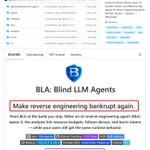
• BLA (3.7K stars) - hits REA itself: fake keys and decoy code make AI burn tokens on dead ends, your users get the exact same app
• Cloudflare security-audit-skill (66.7K stars) - reverse engineering is how hackers find holes. This skill makes Claude Code find them first
here's how to put them on for free:
1 → open Claude Code in the folder of your app, site or game
2 → say: "install Node.js 24 and TruffleHog if I don't have them, build my project, then scan the code, its git history and the build folder with --results=verified"
3 → every live key it finds: revoke it, make a new one and keep it on your server, anything inside your app, anyone can pull out
4 → say: "install Cloudflare's security-audit skill with npx skills add cloudflare/security-audit-skill security-audit -a claude code, read its SKILL.md and run a security audit on this project"
5 → fix everything it marks confirmed, then run it again. Cloudflare says one run finds only about half of what repeat runs catch
6 → say: "rebuild, then run npx bla-agents setup and npx bla-agents harden"
7 → the step everyone skips: ship the files from the new .bla-hardened folder, not your old build
send repo links below ASAP:

TruffleHog:
github.com/trufflesecurity/t…
BLA: github.com/qybaihe/bla
Cloudfare:
github.com/cloudflare/securi…

REA (reverse engineer anything) - F*CKED by chinese student...
solo dev just dropped protection for your app & site & game from reverse-engineering and AI hackers, for free
REA not dangerous anymore.
here's how to use and setup BLA (Blind LLM Agents):
first understand how it works:
• REA opens your app in 1 command, BLA hides traps inside it before you ship
• fake keys and decoy code for AI to chase, plus files built to blow past REA's own limits
• AI burns tokens on dead ends, your users get the exact same app
here's how to set it up for FREE:
1 → open Claude Code in the folder of your app, site or game
2 → say: " install Node.js 24 if I don't have it, build my project, then run npx bla-agents setup and npx bla-agents harden"
3 → it finds your build itself: dist, build, Electron .asar, .wasm, Python, native binaries
4 → it plants fake keys and decoy code, then checks every protected file still runs the same
5 → the step everyone skips: ship the files from the new .bla-hardened folder, not your old build
6 → for sites it protects the JS your site sends to browsers, your server code never leaves your server anyway
7 → want proof? run: npx bla-agents benchmark - before vs after on 14 test apps
paste link on repo below as soon as possible:


Anthropic just released 1-hour course to master 100% of Claude Code:
"Your old prompts making Claude worse - our engineers made 1 prompt cuts costs 90% + improves quality"
0% → 0:27 - Anthropic prompts to master Opus 5.5
25% → 20:21 - /harness for Managed Agents
50% → 29:11 - /loops + /self-improving agent teams
75% → 47:16 - Andrej Karpathy's method
100% → 1:02:15 - 24/7 self-improving graphs on max
This 1-hour course by Anthropic senior engineer will teach you more of using Claude than 100 YouTube video guides...
Learn Claude from Anthropic, master it - then read article on how to reverse-engineer anything with Opus 5.5:
I'm so f*cking tired of fast burn of GrokBot usage...
connecting Obsidian to GrokBot - my best desicion in 3 months of using it
It's actually saves A LOT of usage and finally remembers full context, for free (from Claude too)
I made one prompt that do everything:
• one memory for ALL your bots + Claude Code - for free, in your private GitHub
• new bots stop rebuilding context - they read what other bots already saved and spend way less usage
here's guide to set it up:
1 → paste prompt below into Claude Code - it installs Obsidian and builds your AI's memory
2 → paste the 1 message it gives you into your main GrokBot - it connects every bot you have
3 → create new bots only through that main bot - made by hand, a bot starts with zero memory
4 → open Obsidian - your bots finally know that each other did, and way less usage goes on repeat work...
GrokBot is an insane product and I can't wait for team to fix it... until then, this is the best way to fix it yourself
do it ASAP. Then read article below on how to build GrokBot system right way:
full prompt:
"Set up one shared memory from zero: an Obsidian vault in a private GitHub repo, used by Claude Code, Codex (if I have it) and all my Grok Bots. Do every step yourself; stop only when I must click or sign in, tell me exactly what to do and wait for "done". Never ask for or type passwords, tokens or codes. Never delete or overwrite anything that exists: ask first. Talk to me in my language.
1. Tools. Install what's missing. Windows: `winget install -e --source winget --id Git.Git`, `winget install -e --source winget --id GitHub.cli`, `winget install -e --source winget --id Obsidian.Obsidian`. Mac: `xcode-select --install` for git, `brew install gh`, `brew install --cask obsidian` (no Homebrew: the latest GitHub releases of cli/cli and obsidianmd/obsidian-releases). If `gh auth status` fails, tell me to run `gh auth login -p https -w` in my own terminal window (when it asks where I use GitHub, pick the first option), then run `gh auth setup-git`. OWNER = `gh api user --jq .login`.
2. Repo. `gh repo create ai-memory --private` (if it exists, ask me; if you are not allowed to run it, tell me to create it on GitHub with New repository: name ai-memory, Private, no README, then wait for "done"). VAULT = ~/ai-memory (Windows: %USERPROFILE%\ai-memory). There: `git init -b main`; if git has no commit email, set this repo's commit email to OWNER's GitHub noreply email (id = `gh api user --jq .id`) and its commit name to OWNER. Add the files below, commit, add OWNER/ai-memory as remote origin over HTTPS, `git push -u origin main`.
- ./index.md: "# Index", the line "Map of this vault: read it first, then only the notes you need.", and "## Notes". ./log.md: "# Log".
- inbox/README.md: "Bots write new notes here." trash/README.md: "Files go here instead of being deleted."
- .gitattributes: `* text=auto eol=lf`. .gitignore: `.obsidian/workspace*.json`
- _bots/vault-memory/SKILL.md, word for word:
~~~
---
name: vault-memory
description: Shared long-term memory for all bots, an Obsidian vault in the private GitHub repo named in the bot's instructions. Use at the start of any task that may depend on past work (projects, decisions, posts, people, preferences, "remember", "what did we decide") and at the end of every real task. Skip only small talk and one-line answers.
---
# vault-memory
All bots share ONE memory: this repo of Markdown notes. Read it with the GitHub connector (main branch); never ask the user for it.
Read before you answer
- Read ./index.md (the map) and your own _bots/<bot-name>.md if it exists, then only the 1-5 notes the task needs. Never scan the whole vault.
- Trust the notes: don't re-research or re-ask what is written there. If the user now says otherwise, the user wins: write the correction.
Write at the end of every real task (always when the user says "remember" or "save"), one note per task
- New file inbox/YYYY-MM-DD-HHMM-<bot-name>-<topic>.md (UTC; never overwrite): a header (bot, date, topic), then 3-10 lines on what was asked, done, decided, liked or rejected and why, with sources. <bot-name> = your name in the bot list, lowercase with hyphens ("Grok Bot" -> grok-bot); never invent a name like bot or assistant.
- You may keep a short page about yourself in _bots/<bot-name>.md (what you do, what you learned).
- No tool that writes to the repo? Launch a cloud agent on it: "create this exact file with this content and commit it directly to main", then read it back from main. Can't write at all? Tell the user. Never skip silently.
Never
- Delete a file (to remove one: create the same file in trash/, then remove the original), edit notes outside inbox/ and your own _bots/<bot-name>.md unless the user names that note, reorganize the vault, force-push, or write passwords, tokens, keys or codes.
- If a push fails: pull and push again; if it still fails, tell the user.
~~~
3. Claude Code and Codex. Add this block to the end of ~/.claude/CLAUDE.md and, if `codex --version` works, of ~/.codex/AGENTS.md (create if missing, change nothing else; write VAULT as the real path; if you can't edit a file, print the block and tell me where to paste it):
~~~
## Shared memory
- My long-term memory is the Obsidian vault at VAULT (private repo OWNER/ai-memory). Before any task about past work, posts, projects, decisions or "remember": `git -C VAULT pull`, read VAULT/index.md, then only the notes you need. Don't ask me what is written there.
- After a decision, a result, a verified fact (with source) or something I liked or rejected: update or create the right note, list new notes in VAULT/index.md, add a line to VAULT/log.md, commit and push. When I say "remember", always write it.
- "Sort the inbox": move useful notes from inbox/ (my bots write there) into the right notes, move processed files to trash/. Never delete anything. Never write passwords, tokens or keys.
~~~
4. Obsidian. Open it and tell me to click "Open folder as vault" and pick VAULT. Skip Obsidian Sync: GitHub syncs it for free.
5. Grok Bot. Print this message in a code block with OWNER filled in. Tell me to paste it into my main Grok Bot, do what it says if GitHub isn't connected, and from now on create new bots only through this main bot.
~~~
Set up shared memory for all my bots (one time):
1. Check that the GitHub connector can read my private repo OWNER/ai-memory. If not, tell me exactly what to click, then stop.
2. Save _bots/vault-memory/SKILL.md from that repo, word for word, as the skill vault-memory in my shared skill library (replace it if it exists).
3. Add these two lines to your own instructions, once each: "Long-term memory: the private GitHub repo OWNER/ai-memory (Obsidian vault). Before and after each task, use the vault-memory skill." and "Whenever a bot is created or you see a bot without the Long-term memory line, add that line to its instructions once, change nothing else, and tell me."
4. Add the Long-term memory line once to every other bot's instructions. Change nothing else. Skip group chats.
5. Test: read ./index.md and list its headings. Then create inbox/<YYYY-MM-DD-HHMM>-<your-bot-name>-memory-test.md with "memory test from <your-bot-name>", commit it to main (if you can only read GitHub, use a cloud agent as the skill says) and tell me the path.
~~~
6. Check. When I write "done", run `git -C VAULT pull` and show me the bot's test note. If it's missing, tell me what to fix. End with 3 lines: where my memory lives, "create new bots through your main bot", "say remember to save something "
Elon Musk predicted future of AI once again:
"I think we'll find over time that LLMs get smaller - are able to produce sensible output with far less compute, far less power"
here are his 3 ideas:
1. your brain uses about as much power as one light bulb. Today's AI needs a giant building full of computers that eats power like a small town, and your brain still thinks better
2. so today's AI is built the wasteful way, when it's not smart enough, they just add more computers and more power
3. that never lasts, first you make a technology work, then you make it smaller and cheaper, so AI will going same way
so the next big win in AI isn't a bigger model, it's a smaller one that's still smarter enough to do the job
that's why TwIL-8B matters: only 8.8 parameters, and on coding it scores 93% of the best frontier model
the kind of AI Musk was talking about in 2023, can running on your laptop
read full info below:
🤝 Paid partnership

Modest intelligence is arriving faster than most people realize.
Today, we're open-sourcing TwIL-8B.
Just 8.8 billion parameters, yet approaching frontier-model scores on several difficult benchmarks:
• 93% of frontier performance on coding
• 92% on instruction following
• 90% on contest mathematics
All from a model small enough to run on your own hardware.
But the benchmarks aren't the most important part of this announcement.
For years, the AI industry has focused on building the most capable model, regardless of the cost required to run it.
I believe that equation is changing.
The next era of AI will be defined by the cost of completing work. Not simply the intelligence of the model, but how efficiently that intelligence can accomplish the task.
If a model with 8 billion parameters can reliably complete the same work as one with hundreds of billions, why pay for the larger model?
As smaller models become more capable, intelligence becomes something we can distribute, specialize, and run across the hardware we already own.
That's the future we're building at @thewebAI
TwIL-8B is available today. Open weights.
And this is just the first of several announcements we're making today.
HF Link: huggingface.co/webAI-Officia…
Google just released the greatest 1-hour course on building agent teams with Harness & Loops & Graphs from scratch:
0:29 → Harness engineering: 1 prompt → team of agents
11:19 → Graph engineering: let your agents talk to each other
47:18 → Loop engineering: build self-improving agents
1:33:23 → full system that works while you sleep
everyone's are building agents blind - a real agent system won't work 100% without a harness, graphs and loops
Watch the course, build the agents right way - then read article below on full Agent engineering:

Adobe + Microsoft killers officially screwed Anthropic and made app that reverse-engineer anything without BAN's and rejects...
the shift: Claude stops asking questions - free Craft Anything repo becomes its boss → it just builds
here's 5 step guide:
step 1 → paste this photo into Claude Code
it installs free Craft Anything app for Mac, Windows or Linux
step 2 → pick the brain: your Claude Code login (no API bill) or Kimi K3.1 Pro via OpenRouter
step 3 → hit "Make my own version" to reverse-engineer any site, app or game as yours, or "Just look inside" to see exactly how it works under the hood
step 4 → drop the link or file and hit start, that's it.
pro tip: flip Deep on for your own apps and 300 built-in reverse engineering tools read the code itself
the result: any app you pay for → reverse-engineered with the prompt in the photo. Every secret mechanic of every closed site is now yours to use
Send it now. Then read article below to become REA engineer:

Andrej Karpathy named next era of AI: company engineering
"a self-contained, persistent, asynchronous entity with org-wide tools and context, working alongside teams of humans"
GrokBot plans the project, Claude Code builds it, Codex reviews it
That's Kylon, new era of AI where everything work together:
🤝 Paid partnership


Grok Bot without limits?
Elon says it costs too much to run. So in Kylon, Grok Bot plans the project, Claude Code builds it, Codex reviews it.
Three agents, one shared workspace, each doing what it does best.
xitter.twitterapi.xyz/i/status/2116992258520…
Hey @elonmusk , you can actually fire your engineers...
Introducing SpaceXSI engineer: a bot that uses GrokBot exactly like team that built it:
• trained on every public resource from the GrokBot team
• any problem, any question - it answers like a SpaceXSI engineer and shows how they'd set it up
• gets smarter with every GrokBot update - learns it the same day and turns it into a ready recipe for you
• it even tells you which new features you DON'T need, so you stop wasting usage
• and much more...
how to setup it:
1. just use the link below and add the bot to your GrokBot
2. it's connects to my public GitHub repo, so it gets better every day (and I'll keep adding new features)
I finally built bot I've wanted for months, and you should try it.
You're welcome. Then read article below to master GrokBot:

Claude Code can now discover a sound that leaks your location (and it's everywhere)
It's actually getting scary for all of us...
here's honest result of my 12-hour tests + public repo to check and mask it:
how it works, Doppler curve method by YouTuber colsto:
1 → when a plane flies past, its engine hum slides down in pitch, like a car horn going past you. On a spectrogram (a picture of sound) that slide is a curve
2 → the curve's shape gives the plane's speed, how close it came and the exact second it passed
3 → sites like Flightradar24 log where almost every plane is, every second - match the curve to that data and you get which plane it was, and where the mic had to be
4 → know the plane, the second and the distance, and the mic is on a line next to its path, a second plane pins the exact spot
What I got with Claude Code:
• 10 seconds of a takeoff on a public Chicago airport webcam. From the sound alone it got the speed, distance and second, then picked one flight out of 35 that fits: Southwest SWA4113 (I knew where camera was)
• colsto posted 1-hour of sound from a secret spot and dared people to find where it was. From the planes in it, Claude Code found the right town: Oyster Bay, New York (with hints: we knew area, and another dev marked tha planes by hand: doppler-locate)
Where Claude failed:
• blind, with only the sound, the time and a 40 by 40 km square of the map, it found 0 of 6 recordings
• Miami looked like a hit at 749 m, but sound from 30 min later landed the same spot, it was guessing from airport traffic, not the sound
Bottom line:
I gave it 12 hours, free flight data, a 16 GB PC and airport cams full of jet roar. The method itself works: doppler-locate searched the whole US with no hint and put colsto's camera 67 m away, on a much bigger PC.
- WIth full data and a stronger computer, I think Claude Code can do it blind too, my repo is the starting point
anyway: now the sound can find you. Claude Code already gets you halfway, colsto's full method does the rest
check your own videos (free):
1. paste into Claude Code: npx skills add Bodila51/colsto-leak-and-mask --skill flyover-check
2. say "check my video": it tells you if a plane, electrical hum or the GPS and date in the file could give away where you filmed
3. say "make a safe copy": it cuts those sounds and strips the GPS and date
Find your location. Then read article below to make this faster:
try it:
github.com/Bodila51/colsto-l…

1
1,506