

The @Blockstream app guides you from first bitcoin purchase to full self-custody, all in one elegant, security-first wallet. Companion app to @BlockstreamJade
Joined October 2023
- Tweets341
- Following3
- Followers3.7K
- Likes425


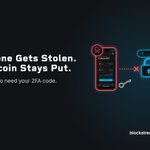


Timelocks and recovery, explained: blog.blockstream.com/multisi…

1
110
You set the rules on a @Blockstream app 2FA Protected account.
Choose when 2FA expires: 6, 12 or 15 months. Set a threshold so smaller sends skip the second factor. Lose your 2FA and, once the timelock passes, an open-source tool gets your bitcoin back without relying on us.

Download the Blockstream app for iOS, Android and desktop:
blockstream.com/app/

Step-by-step guide to restoring your wallet from your recovery phrase:
help.blockstream.com/blockst…

Losing your phone doesn't mean losing your bitcoin. It was never on the phone: it lives on the network, and the phone just held the keys.
Restore from your recovery phrase on a new phone and your balance and history come back, as long as you backed it up.
Watch the next block fill from your phone. Every pending transaction sized by weight, coloured by fee band, updating live.
blockstream.info

Set one up in the Blockstream app: blog.blockstream.com/multisi…
The easiest way into multisig is a 2FA Protected account in the @Blockstream app.
Approve sends with your choice of second factor: SMS, email or an authenticator app. No extra hardware to set up.

Keeping your @BlockstreamJade up to date takes seconds in the @Blockstream app.
Connect Jade and you'll be prompted when new firmware is available. Confirm it on Jade and it installs directly.
Blockstream App retweeted

Multisig is one of the best ways to step up your Bitcoin security. In the @BlockstreamApp it sets up in minutes, so you can start small and get comfortable before you commit.

Sending from a 2FA Protected account looks like any other send. Check the address, amount and fee, then slide to send.
By default two keys sign: one on your device, and one @Blockstream holds that only signs once you approve with your second factor.


The full breakdown of 2FA Protected 2-of-2 and 2-of-3 accounts:
blog.blockstream.com/multisi…
Sending from a 2FA Protected account looks like any other send. Check the address, amount and fee, then slide to send.
By default two keys sign: one on your device, and one @Blockstream holds that only signs once you approve with your second factor.
Blockstream App retweeted
Your bitcoin, your choice of coins.
Keep your payments more private and your fees lower, now on every device.

Blockstream App retweeted
Look up any transaction and the page tells you what it means. Privacy analysis, SegWit savings, and the real fee, on mobile.
blockstream.info


Or start with a 2of2 2FA Protected account, no backup key needed. On Bitcoin, pick a 6, 12 or 15 month timelock.
Want the backup key later? Add a 2of3 account and send your coins to it.
🤖 Made with AI

Your backup key can be a new recovery phrase or one you already have.
Lose access to your 2FA and you're not stuck. Your key plus the backup can spend any time. No waiting.
blog.blockstream.com/multisi…
1
4
302
