

The deterministic document platform for agents and humans. SDKs, cloud APIs, integrations, and workflow automation turn documents into reliable workflows.
We’re global!
Joined August 2012
- Tweets5.3K
- Following179
- Followers4.3K
- Likes1.2K



If your AI agents get even 10% of its data extraction wrong, can you really trust it at all?
We discuss why reliability is so important when working with your documents.
31
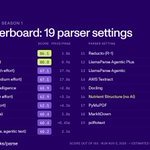
Today we're releasing WholeDoc Bench, a benchmark that scores document parsers on whole documents, not just individual pages.
Nutrient topped the leaderboard at just a tenth of the price compared to frontier models:
• Nutrient Agentic: 86.1/100 at 1.8¢ per page
• Best frontier model: 67.1/100 at about 18¢ per page
Here’s how it works 🧵

What we found: tables that continue onto the next page break most parsers. Fewer than 1 in 5 kept them in one piece.
Even higher reasoning levels were not an effective solution. We ran tests with multiple reasoning levels, which moved scores less than half a point.
1
1
69
Want to test it yourself? Run the benchmark on our sample, or try our API on your own documents.
Results: nutrient.io/benchmarks/parse
Code and paper: github.com/PSPDFKit-labs/who…
Try it: dashboard.nutrient.io/sign_u…
Have another parser you’d like us to test? Let us know in the comments! We’ll be happy to try it out.

45
Fast answers, straight from the document. Watch the mailroom cat make a decision with Nutrient Data Extraction.
395
Most questions you ask about a document have a short answer.
Is this an invoice or a contract? Is this extracted value actually on the page? Where does one invoice end and the next begin?
Yet the usual approach is to send the whole file to a general-purpose LLM and wait while it writes a reply, one token at a time.
So we built something different: the Nutrient document decision model.
It reads a document, both the page image and the text, and returns a choice plus a calibrated confidence score. No generated paragraphs, no waiting.
What that gets you:
→ About 200 ms per answer
→ Scores calibrated to how often the model is actually right
→ Visual understanding that text-only approaches miss
It’s already live in Nutrient DWS, powering our classify and split endpoints and checking extraction results against the source document.
Nutrient AI engineer, Austin Nguyen, explains why we built it, how we trained it, and where it falls short:
bit.ly/4jpIZyF
Try the demo on Hugging Face:
bit.ly/4i8tEjE
Story time: we gave our extraction a four-page California small claims form, and it came back with the currency as "USD," even though those three letters appear nowhere in the document.
The form is a real court form filled in with test data, and we'd asked for six things:
- The plaintiff
- The defendant
- Amount claimed
- Currency
- Date of the incident
- Reason for the claim
Five of them were right there on the page. The currency wasn't, but our setup mentioned that US court forms always use dollars, so the model did the sensible thing and filled in USD.
It wasn't really wrong, but it was a guess rather than something read off the form, and in the extracted data it looked exactly like the five values that were. If you're automating claims, contracts or court filings, that's the kind of answer that slips through until someone has to explain where it came from.
We caught it because every value comes back with a citation showing the page it came from and the exact spot on that page. The currency pointed to a different page from the amount it belonged to and scored noticeably lower, so a review step would send that one field to a person and let everything else through.
And that's really what we want from AI on such documents. It doesn't have to be perfect, but it does need to alert a human when it is not exceptionally confident in a result. Remember, you are responsible for every document you submit - whether AI assisted or not, so you better be sure that it is correct.
Don't play AI roulette.
See the full walkthrough: bit.ly/4zwT8OJ

313
A picture of a signature on a PDF doesn't tell anyone whether the contract changed after it was signed.
A digital signature does, because any later change to the signed content shows up when the file is checked.
How to add one with Nutrient API:
bit.ly/4s1GowY

289

AI LEGAL ASSISTANTS SHOULDN’T SILENTLY REWRITE YOUR DOCUMENTS
@nutrientdocs built Document Authoring AI to keep counsel in control.
→ every AI edit lands as a tracked change, not a silent overwrite
→ each change comes with a comment explaining why it was made
→ tested it on a real NDA in the browser, full DOCX fidelity preserved
→ export the reviewed doc straight to DOCX when you’re done
counsel reviews suggestions instead of trusting a black box. that’s the difference
demo → nutrient.io/sdk/document-aut…

An AI-generated fact is only useful to a legal practitioner if they can verify it.
Page helps VA disability firms review case files that can run to tens of thousands of pages. With Nutrient Web SDK, practitioners can move from AI-extracted information directly to the underlying source document, with viewing, annotations, and form filling directly inside the platform.
For Page’s engineers, that means more time building the product and less time maintaining infrastructure.
Read how Page built its document experience →
bit.ly/46DAf0g

1
471

Building on the Nutrient Data Extraction API is a breeze.
Our customer came to us with a problem: they receive invoices from all across the globe. Different languages, different currencies, and each one checked by hand.
Not anymore.
In less than 30 minutes, we built them a custom app that identifies discrepancies, and notifies their accounts team when something needs their attention.
All built inside of Claude using only natural language.


I find myself reaching for Davinci, CapCut, Premier - or any video editor, FAR less.
Everything you see in this video was done entirely in Claude desktop:
Color grading, audio mixing, motion graphics, transitions, speed adjustment, matching voiceover and camera to the timeline, building the teleprompter, zoom effects, everything.
No video editor. Only natural language. I'm not sure there will ever come a time when that doesn't blow my mind.

Building on the Nutrient Data Extraction API is a breeze.
Our customer came to us with a problem: they receive invoices from all across the globe. Different languages, different currencies, and each one checked by hand.
Not anymore.
In less than 30 minutes, we built them a custom app that identifies discrepancies, and notifies their accounts team when something needs their attention.
All built inside of Claude using only natural language.
An expense report can spend far more time waiting in inboxes than it ever spends being reviewed.
It goes to a manager, then finance, then a VP if it's over $10,000, and every handoff is another inbox where it can sit over a weekend while the contract waits to be paid.
Nutrient Workflow sends it to the right person the moment it's submitted, nudges reviewers automatically, moves it to a backup approver if someone doesn't act in time, and pushes the approved numbers into your finance system so nobody retypes them.
We save you time, and time is money.
Expense that here: bit.ly/4yKWayY

1
330
It's only a matter of time before a major incident gets blamed on a mistake made by an AI agent, and "the AI did it" is an excuse nobody is going to accept.
Each of us is responsible for what our agents produce. That makes auditability more important than it has ever been, especially now that AI is drafting redlines, discharge summaries, and responses that people then sign off on.
With Nutrient Document Authoring, each AI suggestion lands as a tracked change with a comment explaining it, so a human is always aware of what is happening, and can approve changes on a case-by-case basis. An instrumental tool in high leverage situations.
Call it CYA for the age of AI agents.
The AI won't be the one sitting in the incident review when something goes wrong, but you will, so bring the receipts.
Learn more: bit.ly/3WeiFxK

1
308