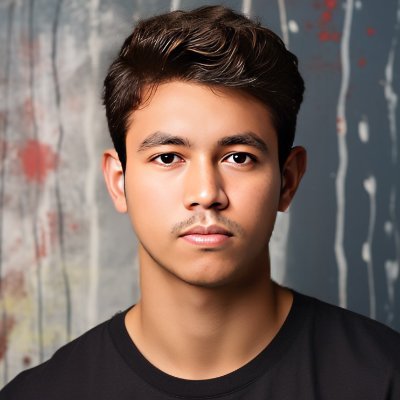
🚨 BREAKING: Claude can now edit your photos like a 𝗽𝗿𝗼𝗳𝗲𝘀𝘀𝗶𝗼𝗻𝗮𝗹 𝗽𝗵𝗼𝘁𝗼𝗴𝗿𝗮𝗽𝗵𝗲𝗿.
Here are some prompts you can use:
Nov 11, 2026 · 10:57 AM UTC
1/ Professional Portrait Enhancement
“Edit this photo as a professional portrait photographer would. Improve the lighting, sharpen key facial details, correct skin tones naturally, and reduce distractions in the background. Keep the person’s face, natural skin texture, and overall identity completely unchanged.”
2/ Cinematic Color Grading
“Apply a cinematic, movie-quality look to this photo. Add rich yet natural colors, balanced contrast, realistic shadows, and professional color grading. Preserve the original composition and avoid any artificial or overly stylized effects.”
1
1
255
3/ Studio Lighting Makeover
“Transform the lighting in this photo to resemble a professional studio setup. Introduce soft, flattering light, realistic shadows, and balanced highlights. Keep the facial features, clothing, and background looking natural.”
1
1
204
4/ Professional Background Replacement
“Replace the background of this photo with a clean, premium photography studio setting. Match the lighting, perspective, and shadows so the final image looks as if it was originally shot in that location.”
1
1
165
5/ Natural Skin Retouching
“Retouch this portrait the way a high-end professional photographer would. Reduce temporary blemishes, excess shine, and harsh shadows while preserving pores, facial structure, natural skin texture, and the person’s real appearance.”
1
1
147
6/ DSLR Camera Effect
“Make this photo look like it was captured on a professional full-frame DSLR with a portrait lens. Improve subject sharpness, add natural background blur, and maintain realistic depth and lighting.”
1
1
124
7/ Fix Blurry and Low-Quality Photos
“Improve the clarity and resolution of this photo. Reduce noise, correct mild blur, restore recoverable details, and enhance sharpness without inventing new facial features or making the image look over-processed.”
1
1
114
8/ Golden Hour Photography
“Edit this photo to recreate the lighting of a professional golden-hour shoot. Add soft, warm sunlight, natural highlights, realistic shadows, and balanced skin tones without altering the person’s appearance.”
1
1
112
9/ Luxury Editorial Photography
“Turn this photo into a premium editorial portrait suitable for a professional magazine. Apply sophisticated color grading, refined contrast, elegant lighting, and subtle retouching while preserving identity and natural proportions.”
1
1
144